Philips PD7032/12 User Manual
Browse online or download User Manual for DVD players Philips PD7032/12. Philips PD7032/12 User manual
- Page / 23
- Table of contents
- TROUBLESHOOTING
- BOOKMARKS

- Contents 2
- 1 Important 3
- Hearing safety 4
- Recycling 5
- 2 Your portable DVD player 8
- Overview of the main unit 9
- Overview of the second screen 11
- 3 Get started 12
- Connect the second screen 13
- Connect power 13
- 4 Use your player 15
- 5 Adjust settings 16
- Set the second screen 17
- 6 Use more of your player 18
- VIDEO IN 19
- 7 Product information 20
- 8 Troubleshooting 21
- : select an item 22
- Black button: return to the 22
- Yellow button: skip 22
- Red button: conrm 22
- All rights reserved 23
- PD7032_12_UM_V1.0 23
Summary of Contents
Register your product and get support atwww.philips.com/welcomeEN User manual DA Brugervejledning DE Benutzerhandbuch ES Manual del usuario FR Mo
11e DISC MENUFor DVD, accesses or exits disc menu.• For VCD, turns on or off PBC (Playback Control) mode.• For VCD version 2.0 or SVCD with PBC turned
12Overview of the second screen a DC INPower supply socket. • b AV INAudio/video input jack. • c Headphone jack. • d VOL -/+Decreases or increases vol
133 Get startedCautionUse the controls only as stated in this user manual. •Always follow the instructions in this chapter in sequence. •If you contac
14Connect the second screenCautionTurn off your player before you connect the second screen. • A: main unit; B: second screen1 Connect the supplied
15 A: main unit; B: second screen; C: car cigarette lighter1 Connect one end of the double-connector end of the AC cable to the DC IN jack on the ma
164 Use your playerTurn on1 Slide the ON/OFF switch on the main unit to the ON position. To turn on the second screen, slide the • OFF/ON switch on
175 Adjust settingsSet the main unitTo maximize your play experience, use SETUP to fine tune your settings.1 Press SETUP. The setup menu is displayed.
18Set the second screenYou can also set the second screen. To adjust volume level for the second screen, press • VOL -/+ on the second screen. To adj
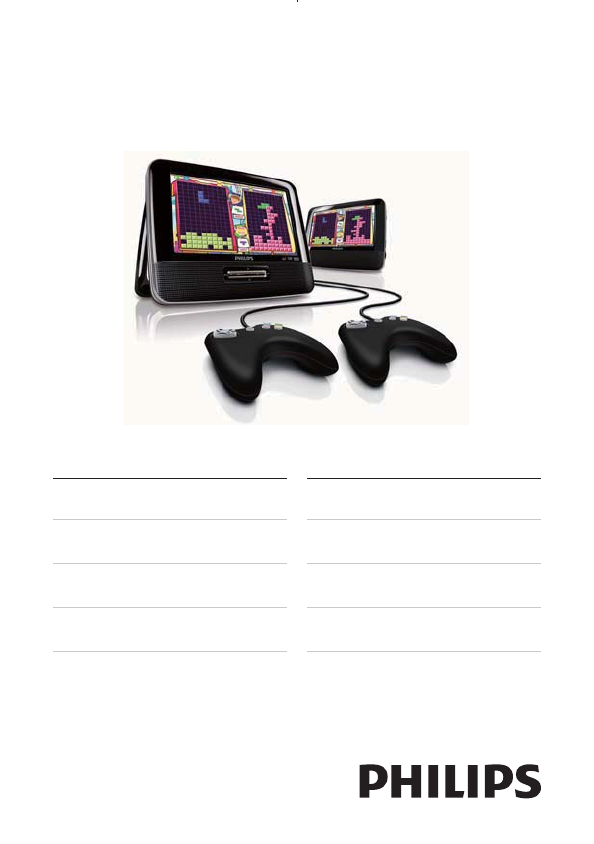
196 Use more of your playerPlay gamesYou can connect the supplied game pads to the player to play games. 1 Connect the game pad to GAME 1P.For two-p
20 1 Connect a AV cable (not supplied) to:the • AV OUT jack of this playerthe audio/video jacks of your TV. • 2 Match the colors of the AV cable w
Contents1 Important 4Important Safety Instructions 4Hearing safety 5Notice 62 Your portable DVD player 9Introduction 9What’s in the box 9Overvie
21the • DC IN jack on the main unit. the power outlet. • 7 Product informationNoteProduct information is subject to change without prior notice. •Dim
228 TroubleshootingWarningRisk of electric shock. Never remove the casing of the player. •To keep the warranty valid, never try to repair the system
adcba , , , : select an itemb Black button: return to the game listc Yellow button: skipd Red button: conrmEnglishZero Hunt Description:In this
© 2010 Koninklijke Philips Electronics N.V.All rights reserved.PD7032_12_UM_V1.0
41 ImportantImportant Safety Instructionsa Read these instructions.b Keep these instructions.c Heed all warnings.d Follow all instructions.e Do n
5n Battery usage CAUTION – To prevent battery leakage which may result in bodily injury, property damage, or damage to the unit: Install all batterie
6To establish a safe volume level:Set your volume control at a low setting. • Slowly increase the sound until you can hear it comfortably and • clearl
7When you see the crossed-out wheel bin symbol attached to a product, it means the product is covered by the European Directive 2002/96/EC: Never dis
8 DivX®, DivX Certified® and associated logos are trademarks of DivX, Inc. and are used under license.ABOUT DIVX VIDEO: DivX® is a digital video forma
92 Your portable DVD playerCongratulations on your purchase, and welcome to Philips! To fully benefit from the support that Philips offers, register y
10Overview of the main unit a BRIGHTNESSAdjusts screen brightness.• b SETUPAccesses or exits the setup menu.• c , Skips to the previous or next title,
More documents for DVD players Philips PD7032/12


Related products and manuals for DVD players Philips PD7032/12
 (24 pages)
(39 pages)
(24 pages)
(39 pages)
 (25 pages)
(48 pages)
(90 pages)
(34 pages)
(19 pages)
(57 pages)
(28 pages)
(18 pages)
(32 pages)
(62 pages)
(36 pages)
(33 pages)
(55 pages)
(10 pages)
(49 pages)
(57 pages)
(25 pages)
(48 pages)
(90 pages)
(34 pages)
(19 pages)
(57 pages)
(28 pages)
(18 pages)
(32 pages)
(62 pages)
(36 pages)
(33 pages)
(55 pages)
(10 pages)
(49 pages)
(57 pages)
© 2020, manymanuals.com. All rights reserved. | 0.173 s |
 Manymanuals.com
 Manymanuals.de
 Manymanuals.fr
 Manymanuals.it
 Manymanuals.pl
 Manymanuals.cz
 Manymanuals.es
 Manymanuals-pt.com
Comments to this Manuals